 LECPServer
LECPServer HTTP WebAPI service configuration
On this page
Configure HTTP server
LECPServer is using WebAPI protocol for third-party applications to read and write PLC
Therefore, as long as the third-party application can use the standard HTTP POST protocol, it can communicate with LECPServer and read and write PLC data.
Due to the use of WebAPI, it will involve the opening of ports.
For port configuration, it is also quite simple in LECPServer.
Under the folder where the LECPServer.exe runs, there is a plc.conf configuration file.
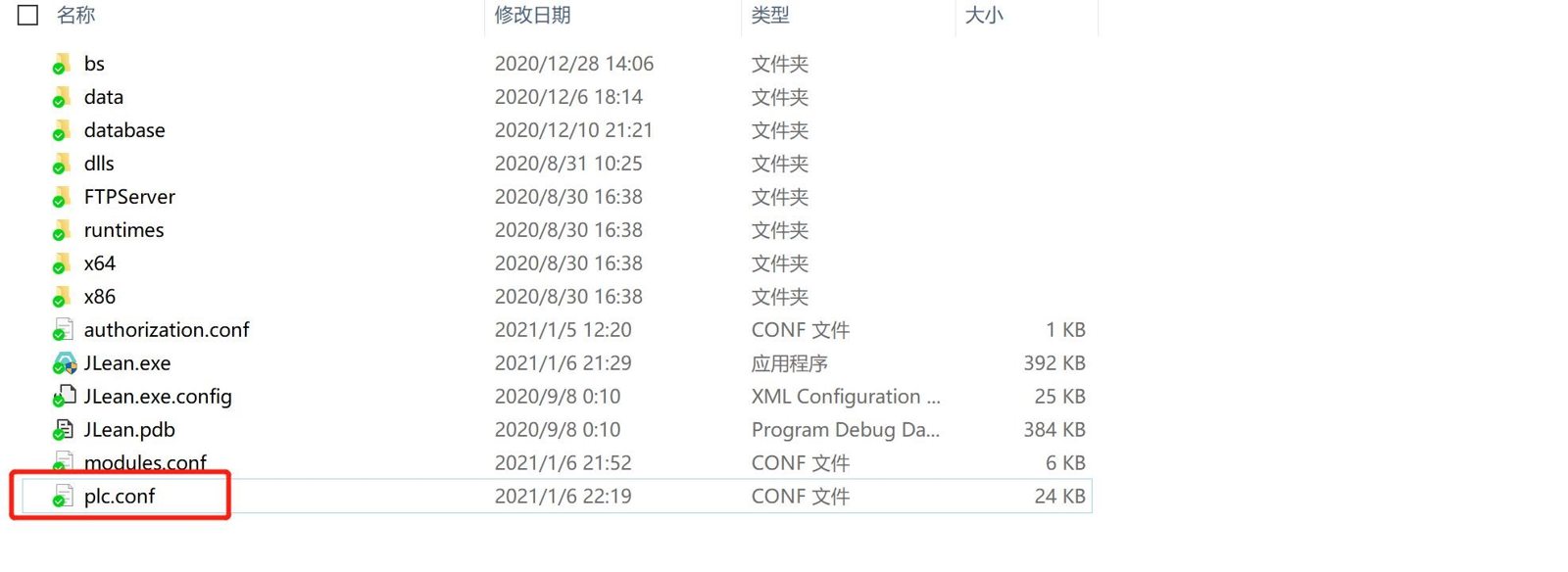
This file saves all settings of LECPServer in JSON format.
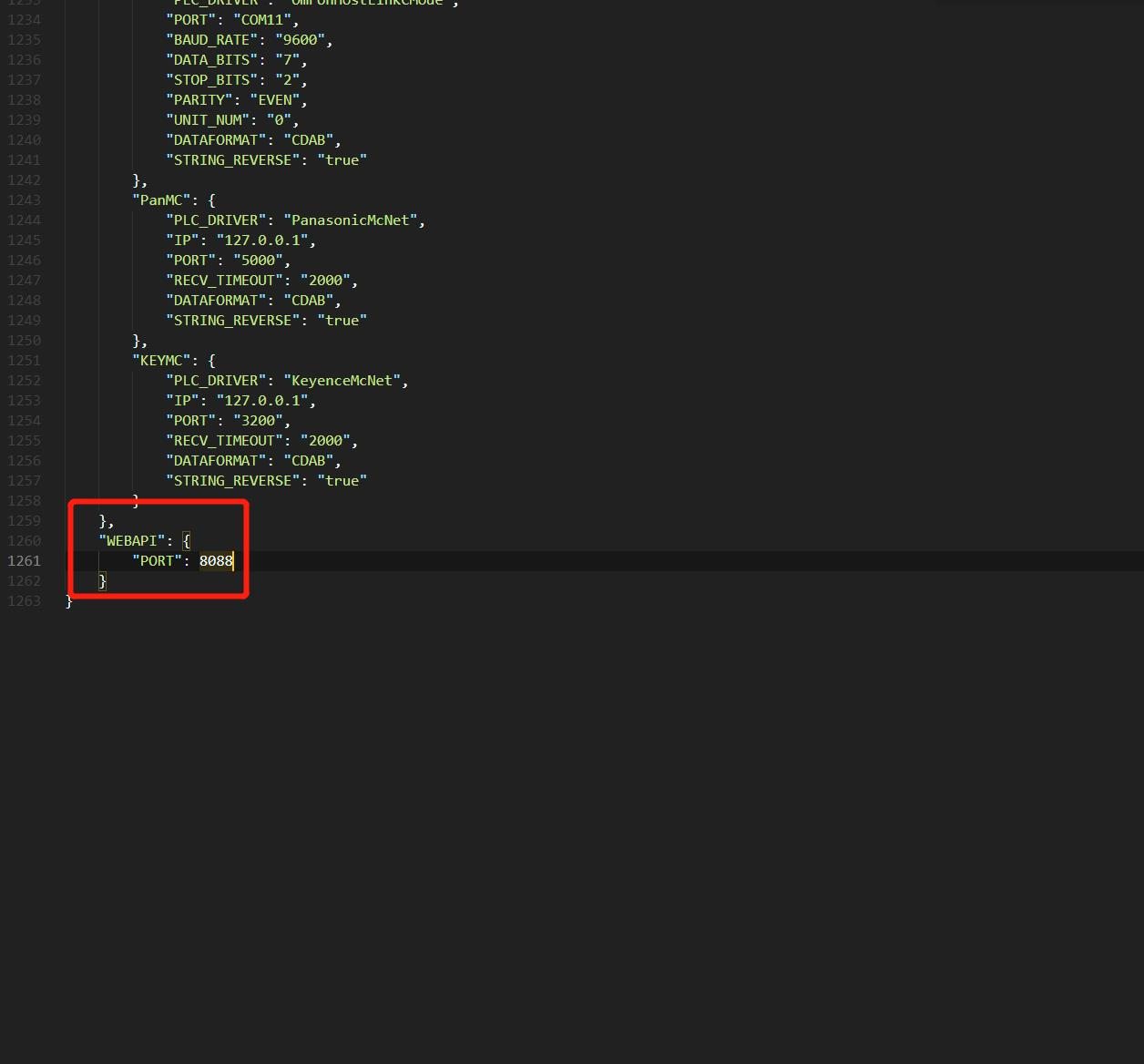
In the last part of the file you will see the configuration node for WEBAPI
The PORT configuration is the port used by the current WebApi server, you can change it to the port number you need.
?> That the LECPServer address service form is 0.0.0.0/24 , so it will not distinguish which IP segment can access the port, If you need to specify an IP segment to access the port, please do the corresponding configuration on the system firewall
Note, if reading and writing this port through HTTP POST protocol is unsuccessful, please turn off the system firewall, or adjust the firewall port and try again
About Debugging
After the HTTP server is configured, we can debug it by the method of chapter about debugging