 LECPServer
GUI Introduction
The system is mainly divided into device list bar, device configuration bar, node configuration bar
Device list bar- display the device list, if the device name is green, it means it has been connected normally, if it is gray, it means the device is offlineDevice configuration bar- used to display and modify the corresponding device configurationNode configuration- We are also called PLC Node configuration, which is the node configuration used for the currently selected device, including node name, PLC address, type, node length, description, please refer to**PLC and Node Configuration**for specific usage.
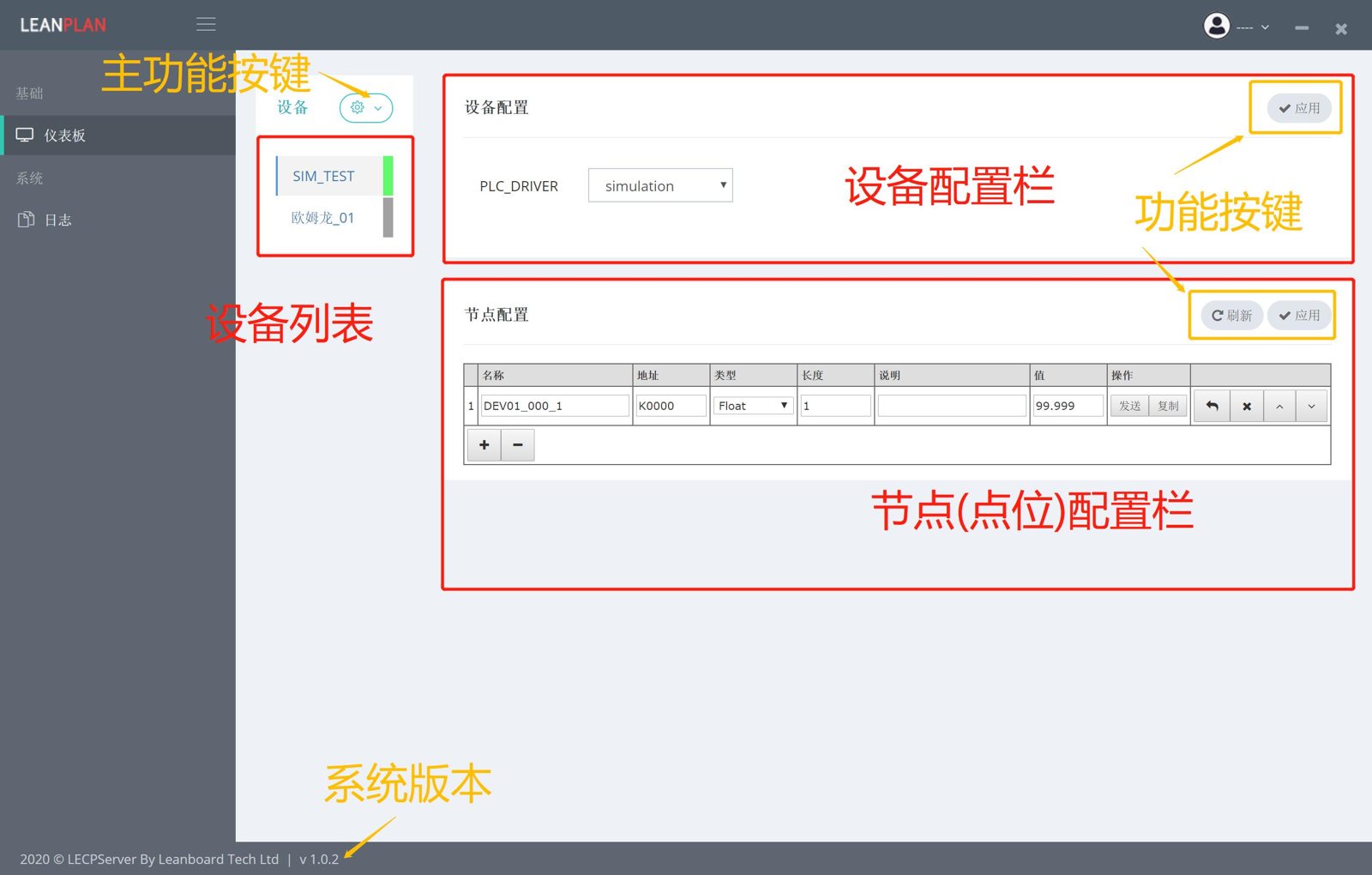
In addition, the interface is also equipped with refresh button, apply button and main function buttons, which are mainly used for apply and refresh.
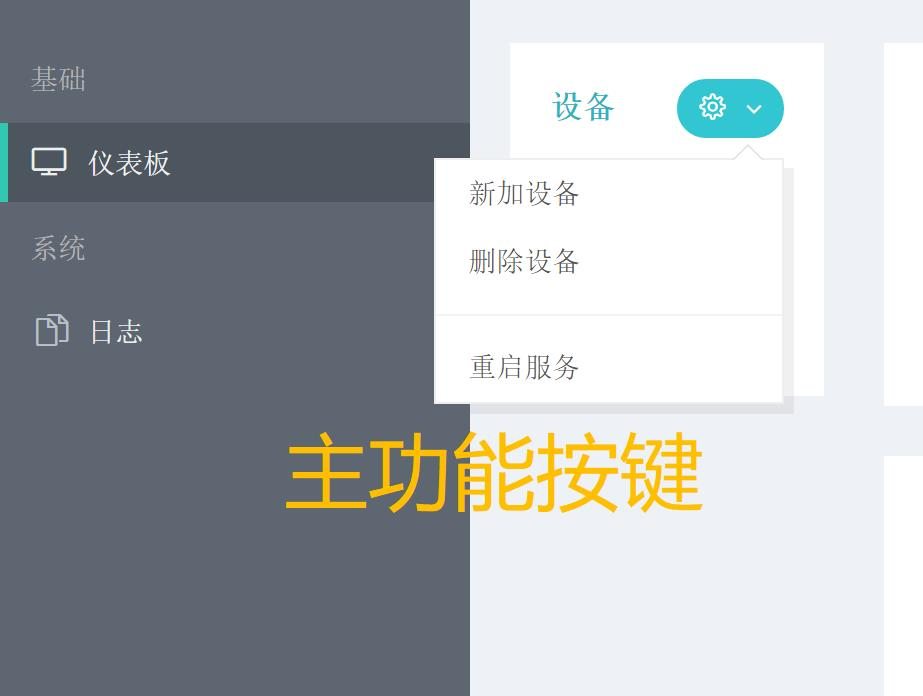
The main function button is mainly used to create a new device, delete a device, and restart the LECPServer service
?> That unlike most service applications, LECPServer follows the principle of simplicity. The version number of LECPServer is marked at the bottom left of the main page.
In the following chapters, we will introduce the how to configure LECPServer to make connection of different types PLC step by step.