 LECPServer
Modbus PLC
On this page
?> LECPServer integrates PLC communication for Modbus, including Schneider, Xinje, 簡思 and a few
PLC manufacturers are using Modbus for communication;
Currently LECPServer have following Modbus PLC communication protocols
- Modbus TCP
- Modbus UDP
- Modbus RTU Over Serial
- Modbus ASCII Over Serial
Modbus overview
?> Modbus is a serial communication protocol that was published in 1979 by Modicon Corporation (now Schneider Electric) for communication using Programmable Logic Controllers (PLCs). Modbus has become the industry standard (De facto) for communication protocols in the industrial field, and is now a common connection method between industrial electronic devices.
Therefore, all Schneider PLCs now use the Modbus protocol for communication.
Modbus supports Ethernet links (TCP/IP, UDP) and serial links, and the Modbus specifications used by serial ports include RTU or ASCII.
There are four registers in Modbus.
Coil- Coil register; used to store Bool values, readable and writableDiscrete- Discrete register; used to store Bool values, read-onlyHolding Register- Holding register; used to store Word values, readable and writableInput Register- Input register; used to store Word value, read-only
The relationship between the node address of Schneider PLC and the corresponding register is:
Coil corresponds to M area
Holding Register corresponds to MW area
For example, %M093, the register we choose should be Coil-093, %MW077, the register we choose should be HoldingRegister-077
Here is an example of Schneider's M2xx series PLC to show how to configure Schneider's PLC in LECPServer
Node configuration name of LECPServer over modbus
When configuring the Modbus address in LECPServer, the register expression is used to distinguish. Addresses can be expressed in three ways.
- register + address
- register shorthand + address
- direct address
When using direct addresses, it should be noted that when the address type is Bool, the Coil Register will be used by default, and when it is other types, the Holding Register will be used by default.
For example, when we configure Coil Register 093, it can be expressed in the following three ways for node name, At this time, you need to select BOOL on the type option
- coil093 (or COIL093)
- c093 (or C093)
- 093
When we configure Holding Register 077, we can use the following three expressions for node name, and need to select a type other than BOOL on the type option
- holding077 (or HOLDING077)
- h077 (or H077)
- 077
When we configure the Input Register 0837, we can use the following two expressions for node name
- input0837 (or INPUT0837)
- i0837 (or I0837)
When we configure Discrete Register 5534, we can use the following two expressions for node name
- discrete5534 (or DISCRETE5534)
- d5534 (or D5534)
Configuration of Schneider PLCs in LECPServer
We take Schneider TM2xx series PLC as an example to demonstrate how to communicate with TM2xx through LECPServer
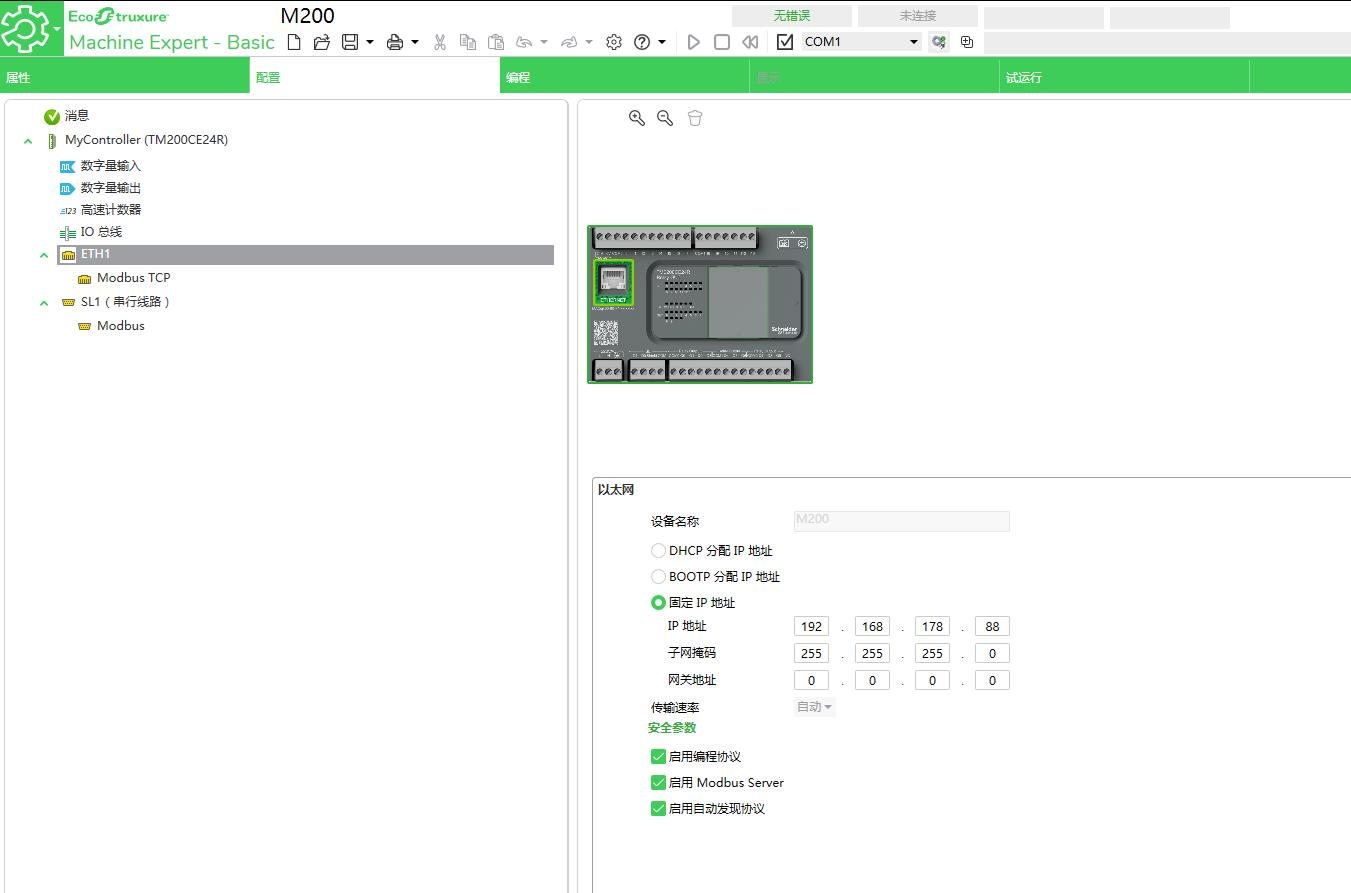
We use Schneider's Machine Expert to configure the M200 series PLC
First, Use static IP to configure the ip address for the PLC. The ip address is configured as 192.168.178.88
By setting the readable and writable register address, add the address that needs to be read and written to the %MW and %M lists
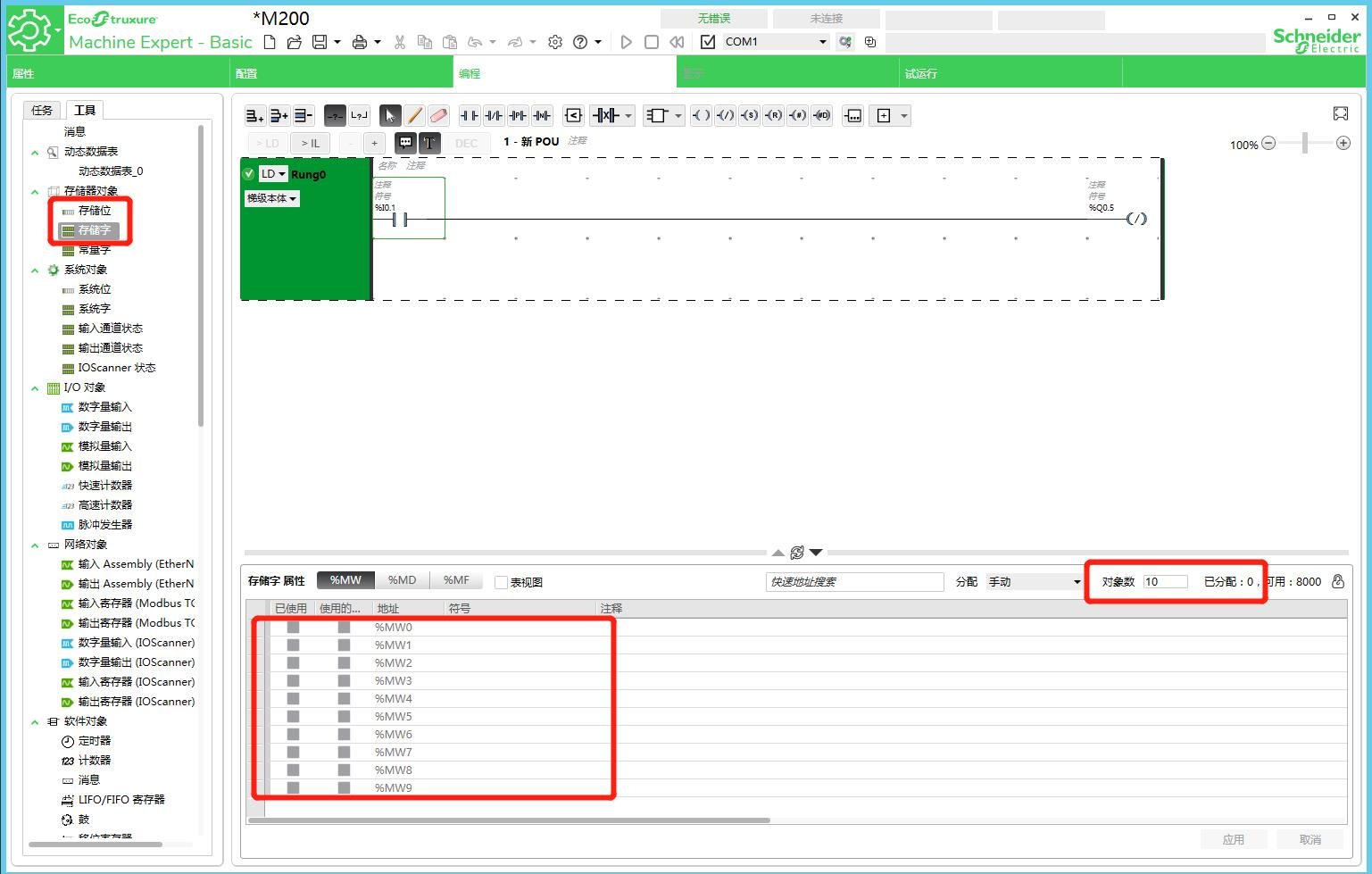
In this way, our PLC configuration for Schneider has been completed
Now, we begin to configure LECPServer
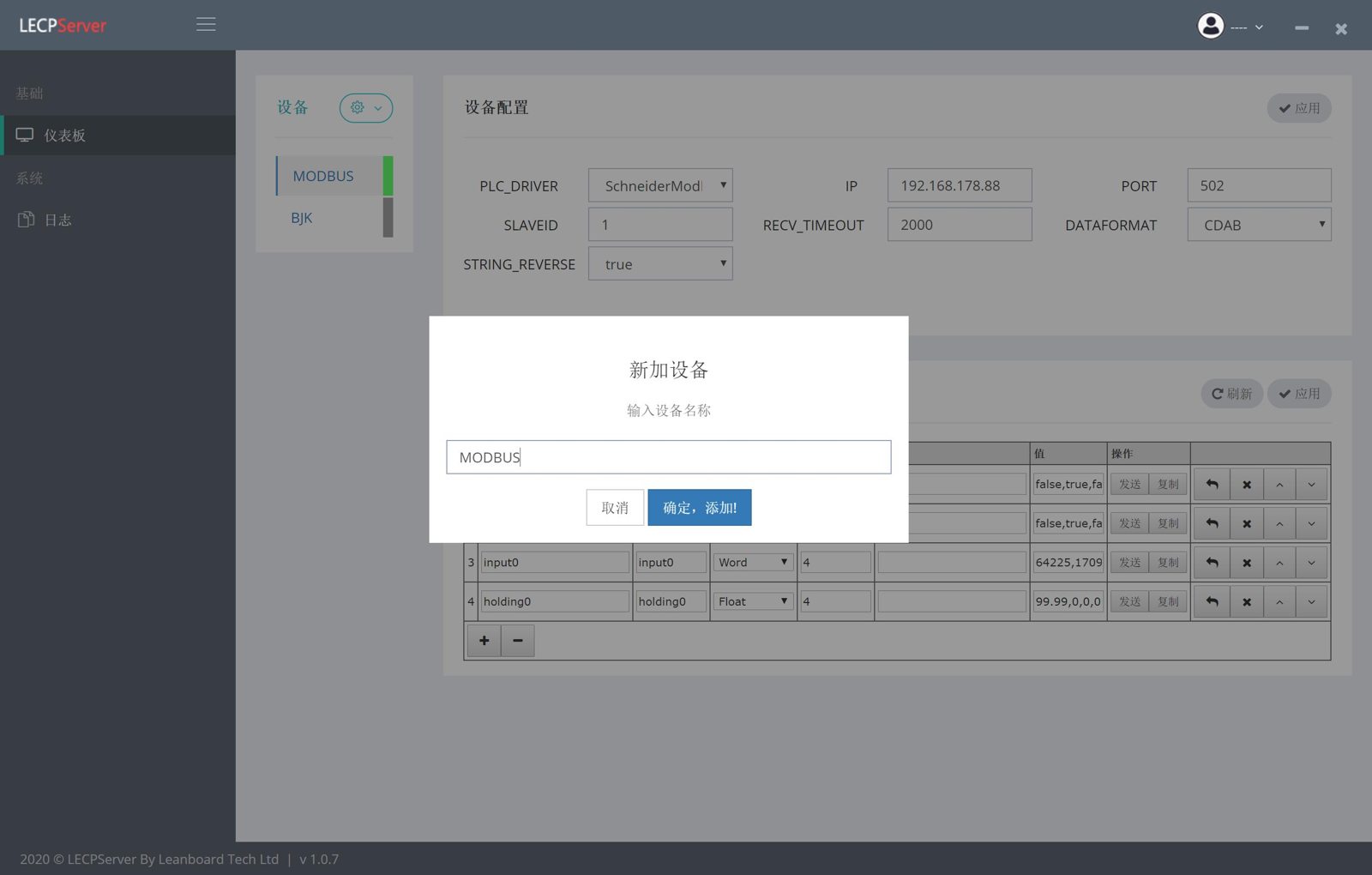
- Click
"Add Device"and fill in the device name, such as "MODBUS" - Select
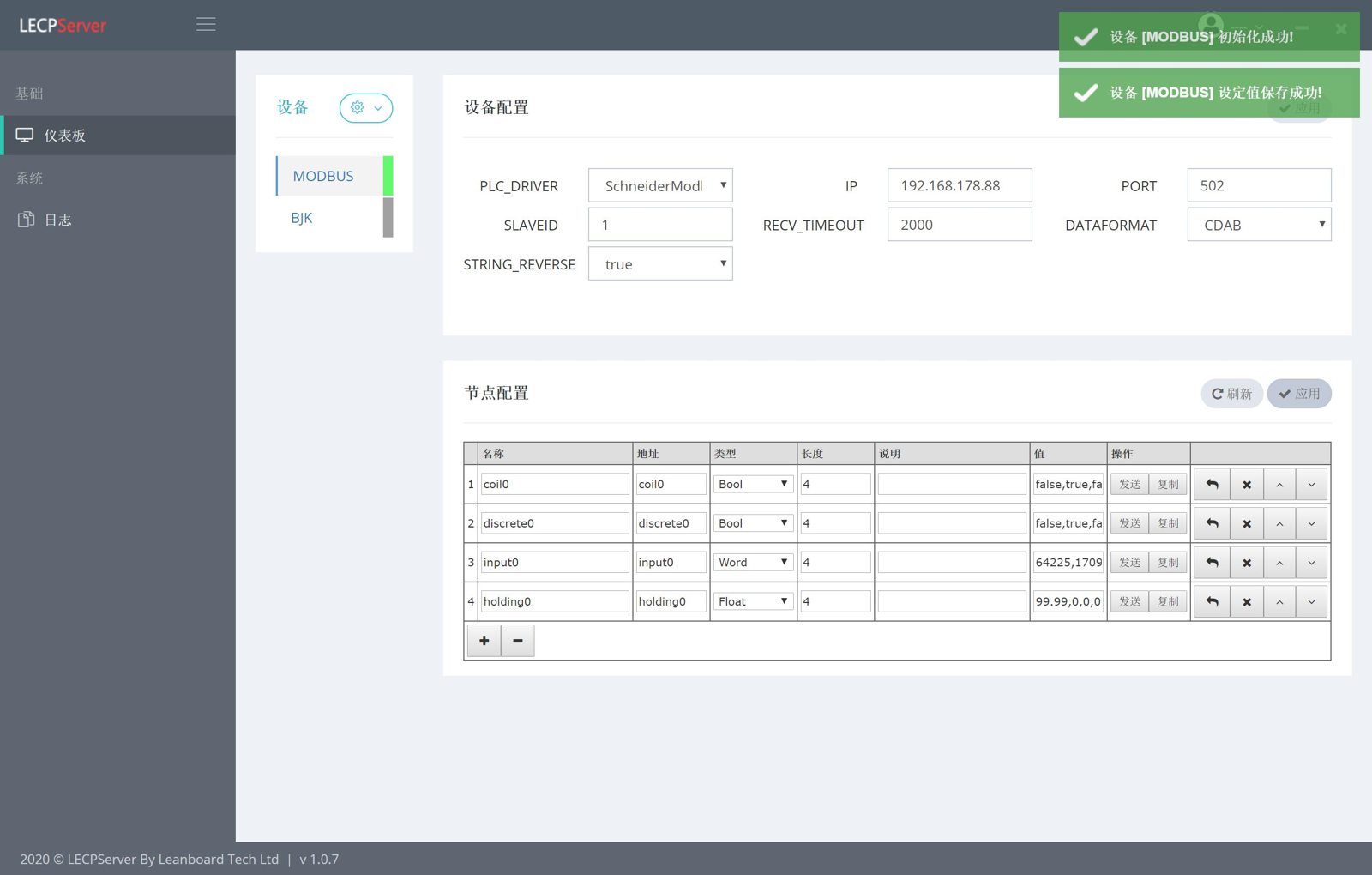
"SchneiderModbusNet"in PLC_DEVICE in the"Device Configuration"form (using Modbus TCP protocol) - Click the
"Apply"button in the"Device Configuration"form, at this time the "MODBUS setting value is saved successfully" prompt, which proves that the node has been successfully added to the LECPServer - Click the
"+"button to add a plc node - Enter
node name,like "coil0" - Enter the
addressof this node by"coil0"(read and write %M0 address in PLC) - Select the
typeof the node,we using type of"Bool" - Node
length, used to set the array length of the node,Here we set it to"4", which means that the node is a Bool array consisting of 4 elements - Enter
node name,like "holding0" - Enter the
addressof this node by"holding0"(read and write %MW0 address in PLC) - Select the
typeof the node,we using type of"Float" - Node
length, used to set the array length of the node,Here we set it to"4", which means that the node is a Float array consisting of 4 elements - Click the
"Apply"button, the node has taken effect, and you will see current value appear in the "Value" column of the node