 LECPServer
Siemens PLC
On this page
LECPServer includes Siemens PLC protocols:
- Siemens S7-S1200
- Siemens S7-S1500
- Siemens S7-S300
- Siemens S7-S400
- Siemens S7-S200
- Siemens S7-S200 smart
How to configure
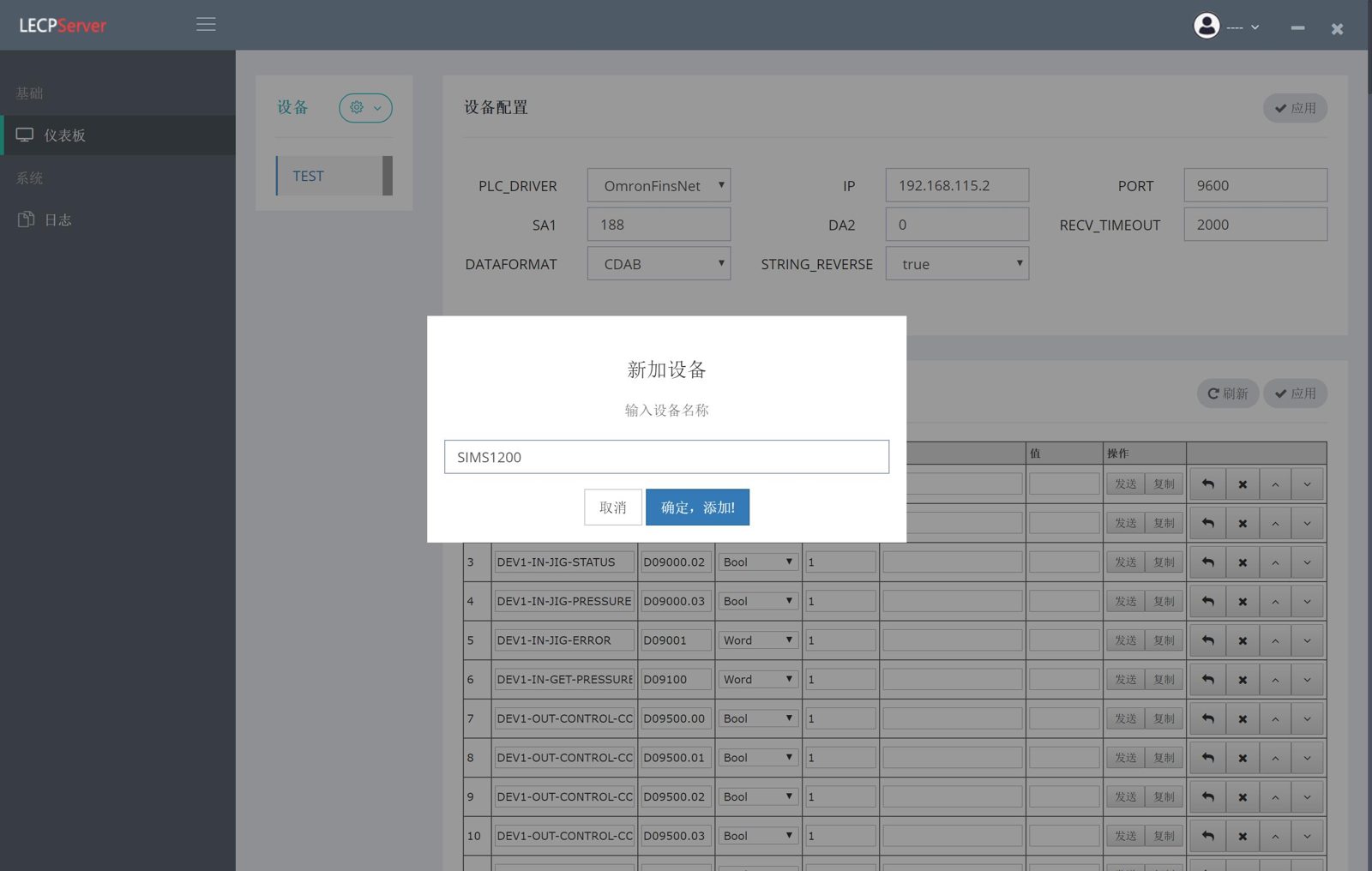
- Click
"Add Device"and fill in the device name, such as "SIMS1200" - Select
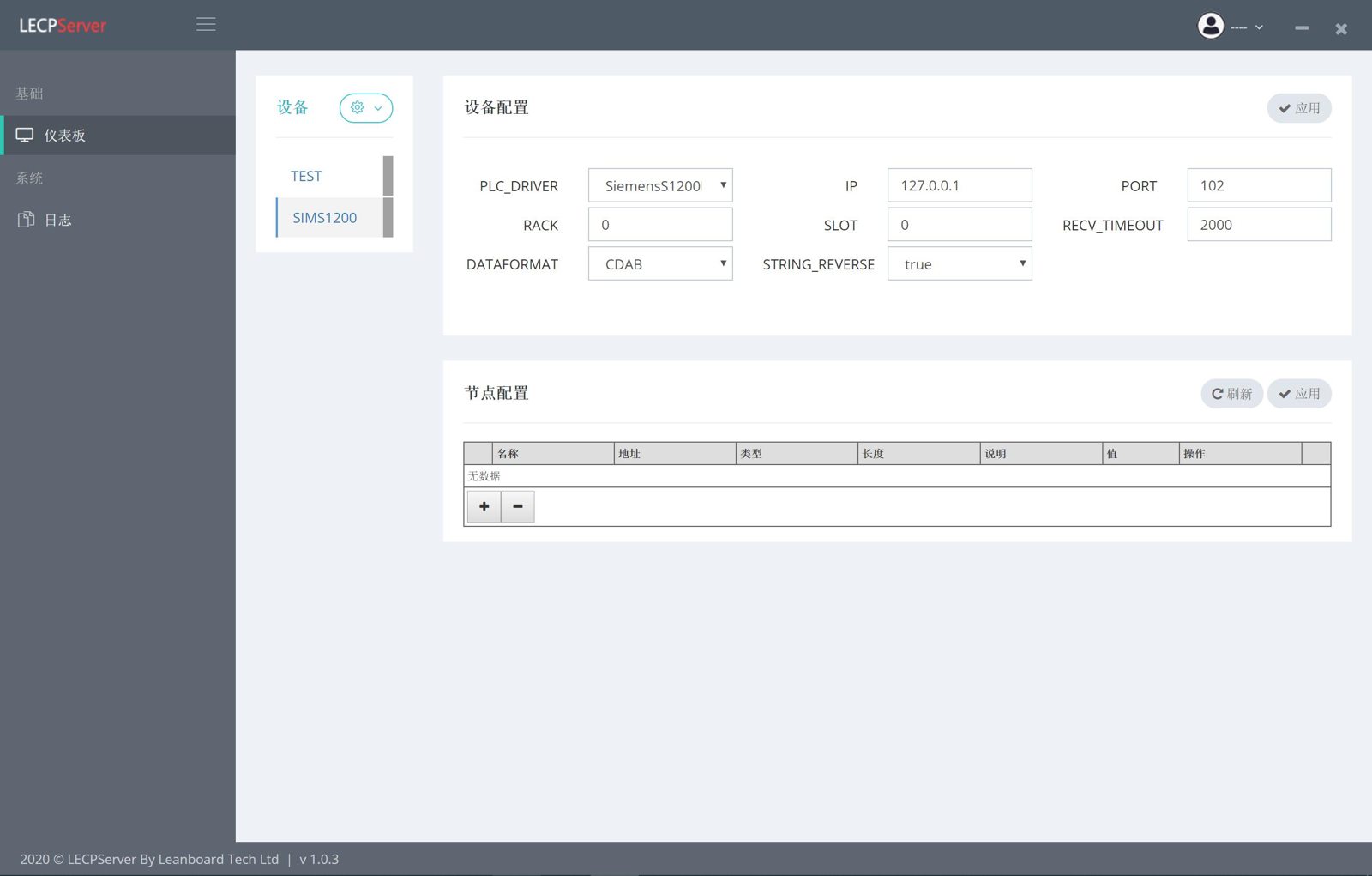
"SiemensS1200Net"in PLC_DEVICE in the"Device Configuration"form (using Siemens S7-S1200 protocol) - Click the
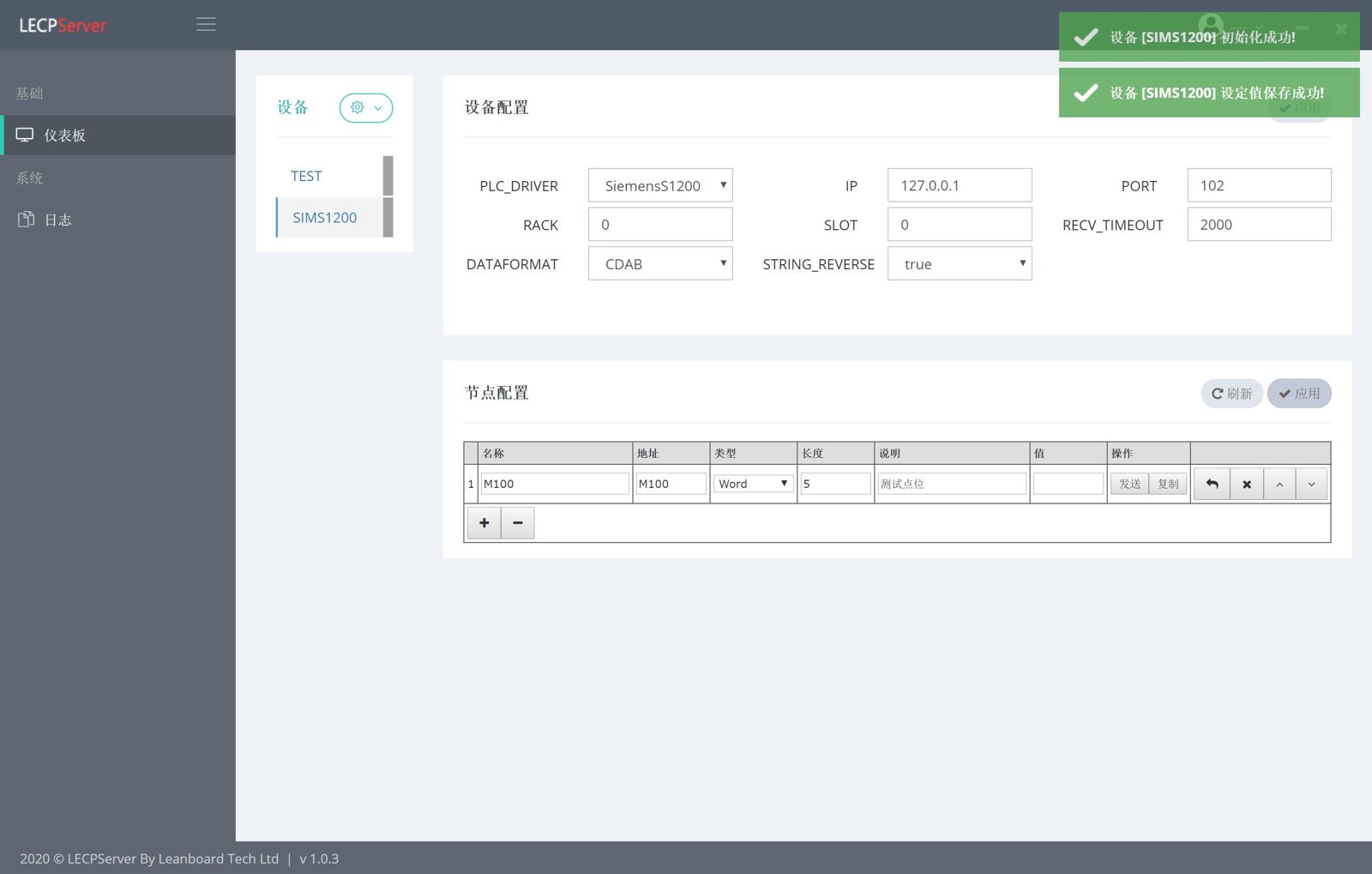
"Apply"button in the "Device Configuration" form, at this time the "SIMS1200 setting value is saved successfully" prompt, which proves that the node has been successfully added to the LECPServer - Click the
"+"button to add a plc node - Enter
node name,like"M100" - Enter the
addressof this node by"M100"(read and write M100 in PLC) - Select the
typeof the node,we using type of"Word" - Node
length, used to set the array length of the node,Here we set it to"5", which means that the node is a Word array consisting of 5 elements - Click the
"Apply"button, the node has taken effect, and you will see current value appear in the "Value" column of the node
Screenshot
Special Note
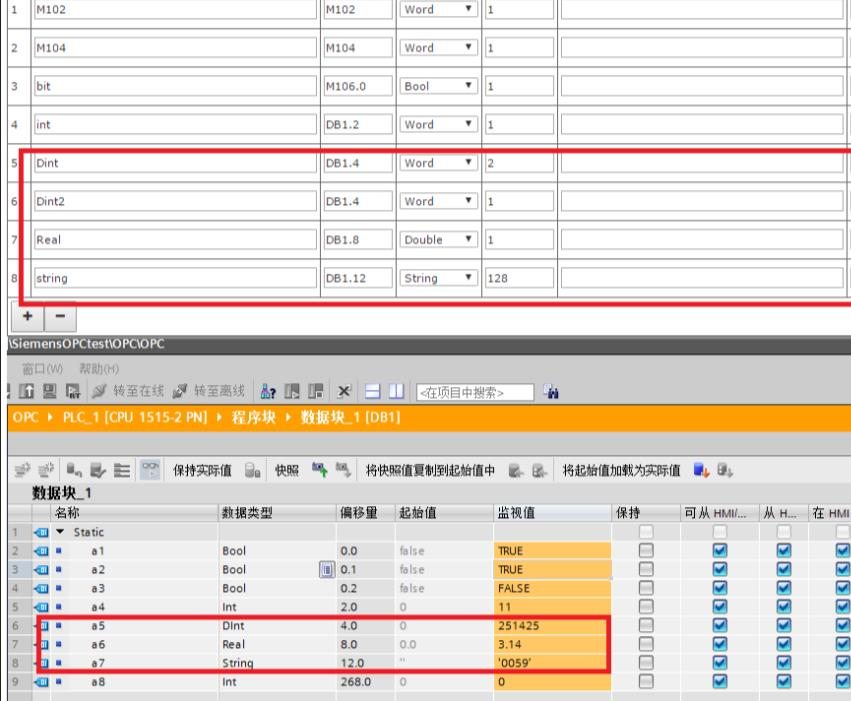
?> For Siemens DB area, the configuration name is "DB1.x", x is the offset, such as "DB1.4" "DB1.8"